Halo 2 on Mac
A website, a Mac launcher, and a closer look inside Halo 2.
Personal project · Design + code · 2026
- Role
- Design, code, launcher, film
- Year
- 2026
- Scope
- Website · launcher · three archives
- Status
- 0.2.1 beta · unofficial
I wanted to play Halo 2 on my Mac. Getting the 2007 Windows version running took a compatibility runtime, Microsoft’s audio codecs and a long evening. So I turned the evening into an app.
Then I looked inside the game folder. Every model, texture and sound Bungie shipped is in the map files, and none of it was easy to look at. The archive makes it easy. halo2mac.com holds both, behind the game’s own menu.
Visit halo2mac.com ↗One folder. A guided setup.
Bring your own Halo 2 for Windows Vista or Project Cartographer install. The app imports it, downloads and verifies a compatibility runtime, fetches Microsoft’s audio codecs, and sets up graphics and audio. Progress stays on screen the whole time.
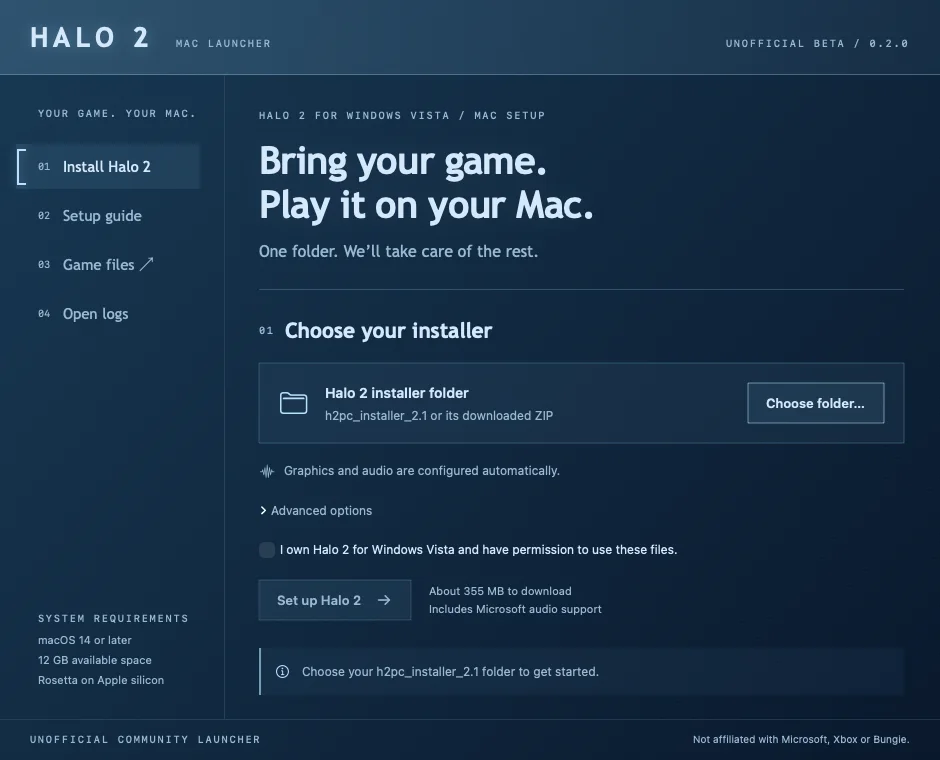
The setup screen, version 0.2.1. A 3 MB Mac app around the work of getting a Windows game running.
A beta: unsigned, MIT-licensed, tested so far on one M4 Max. The site says so next to the download button.
What the 3 MB actually does.
There’s no game in the app, and no Wine either. It’s a Swift launcher that fetches the pieces, checks them, and wires them up in a private prefix.
01 / Import
Point it at the Cartographer 2.1 installer or its ZIP. The archive is listed before it’s opened and refused if any path escapes the folder. Extraction uses the Mac’s own tar, and an existing install is never overwritten.
02 / Engine
It downloads Sikarugir’s WineCX engine and Gcenx’s Wine 11 Mac libraries from their own releases, about 355 MB, and checks both against pinned SHA-256 hashes before anything runs. Rosetta is required because the engine is x86-64. Rendering is Wine’s OpenGL, no Game Porting Toolkit.
03 / Audio
Halo 2’s sound is WMA, which Wine can’t decode. The launcher fetches Microsoft’s own Media Player 9 package from the Internet Archive, the same file Winetricks uses, verifies it, extracts one DLL and registers it with 32-bit regsvr32. The installer itself is never run.
04 / Launch
Everything lives in one private Wine prefix under Application Support with its own DLL overrides, so nothing leaks into another game’s setup. A completion marker is written only after a successful setup, and every step is logged with its duration.
Swift, SwiftUI over AppKit · universal arm64 + x86-64 · macOS 14 or later · 888 lines · 19 automated checks · ad-hoc signed · MIT
A familiar place to return to.
The site is Halo 2’s main menu in a browser: the same blue chrome, list and bracket cursor. Behind it, a film made from the game’s assets. Under it, a launcher and three archives.

The familiar menu. The bracket walks the list and the brief follows, as the game’s did.
Look behind the interface. Take the chrome away and it’s a frame of the film: Chief, his rifle, Lockout.
Made for this moment. Recovered pose, closer camera, blue haze. Six seconds that loop without a seam.
The interface comes back. Every panel on the site sits over this loop. Leave the menu and the film pauses on its last frame.
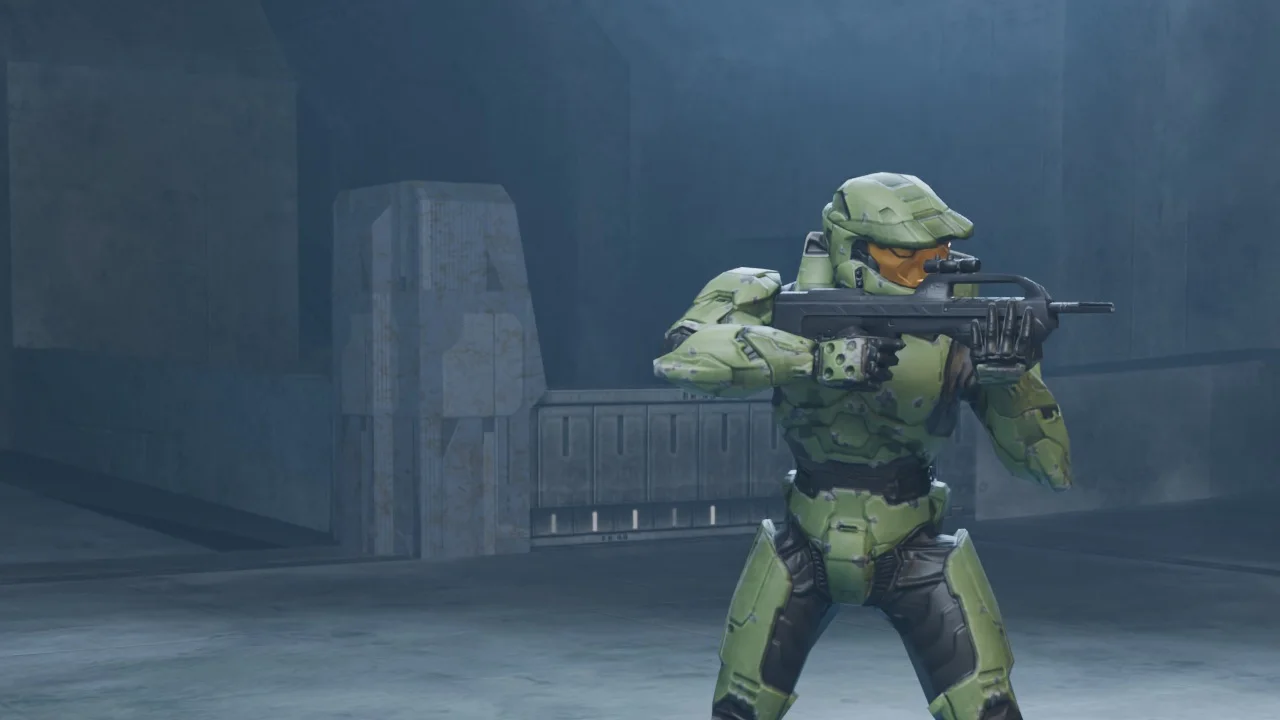
Made for this moment. Recovered pose, closer camera, blue haze. Six seconds that loop without a seam.
The menu is the navigation
Six items in the game’s lettering, with the bracket that slides between them. If you played Halo 2, you know how it works.
Ordinary web controls underneath
The shell is nostalgic; the archives aren’t. Search, filters, sorting, pagination, a keyboard that does what you expect. Music stays off until you ask.
Chief holds the right side
The film sits behind everything, composed so the menu on the left always reads. A Pause background control is there for the quiet.
Six seconds in Lockout.
There’s no footage of this in the game. It’s a scene I assembled from recovered assets, Chief, his rifle and a slice of Lockout, then posed, lit and rendered for the site.
- 06 sec / seamless loop
- 24 fps
- Recovered geometry · new lighting
01 / Pose
A recovered rifle-idle stance. The hands were placed by hand.
02 / Composition
Chief stays close and right of centre, so the menu has room.
03 / Atmosphere
Blue haze, one light, a camera that drifts and returns. Six seconds, no cut.
Every polygon and texture is Bungie’s. The pose, composition, lighting and loop are new.
The model is only the beginning.
The same helmet from the opening, now something you can inspect. The map files hold every model, texture and sound in the game; the archive gives each one a page.
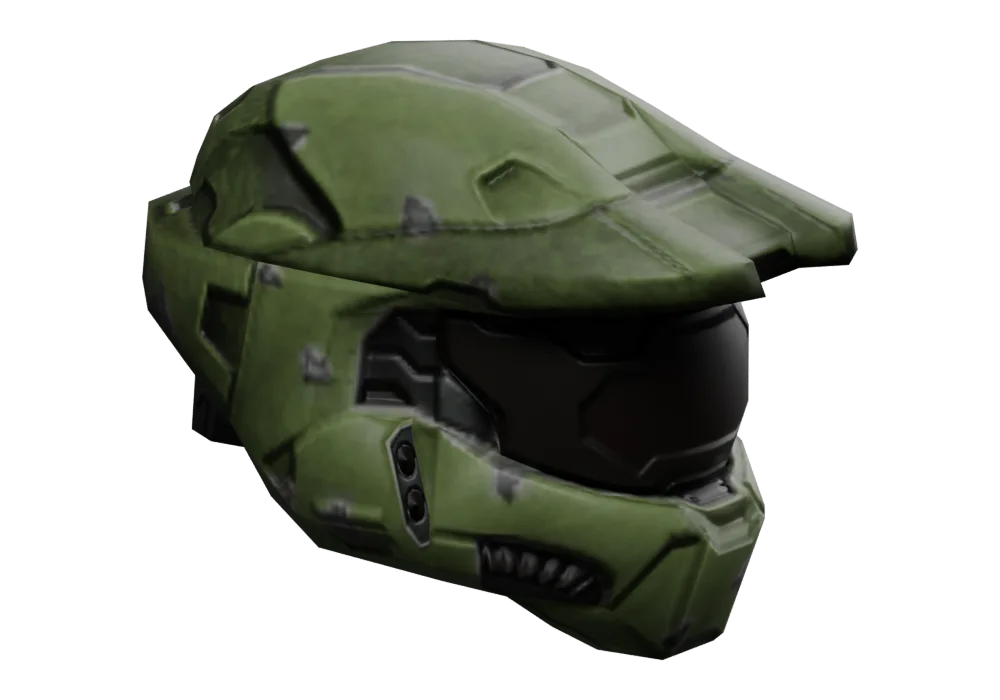
Helmet / recovered asset
From a single model to a whole archive.
Search the library, open a model, orbit it. Wireframe shows how it’s built, skeleton how it moves.
Halo 2 / Asset explorer
Master Chief
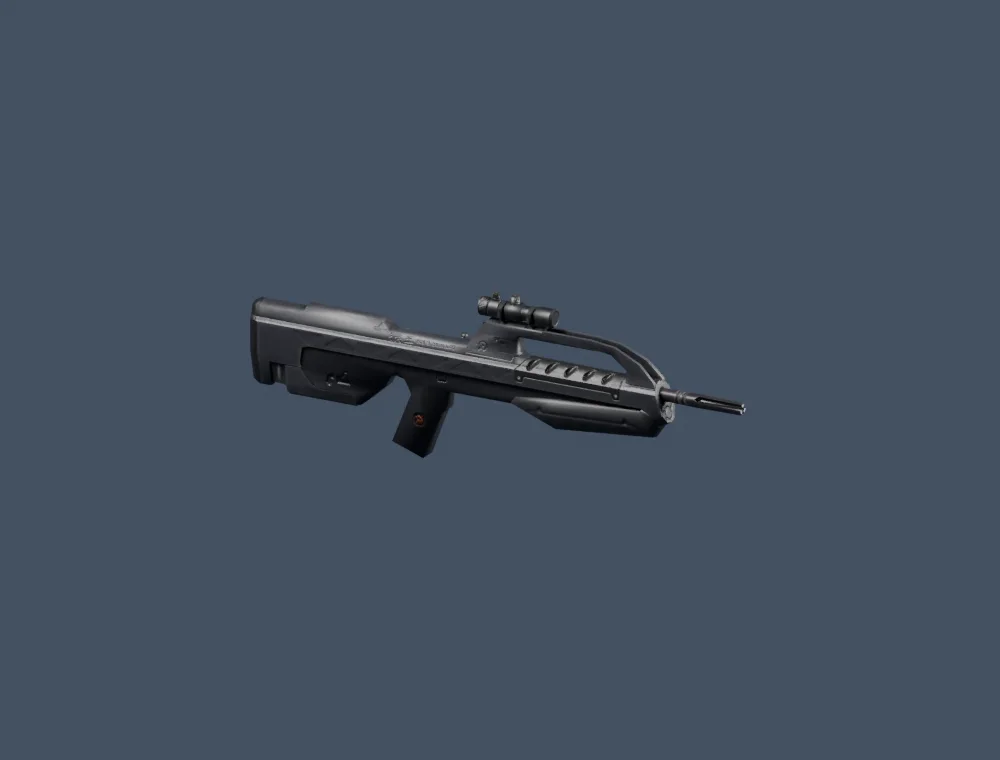
Battle rifle
Weapon · the one Chief holds in the film · drag to turn
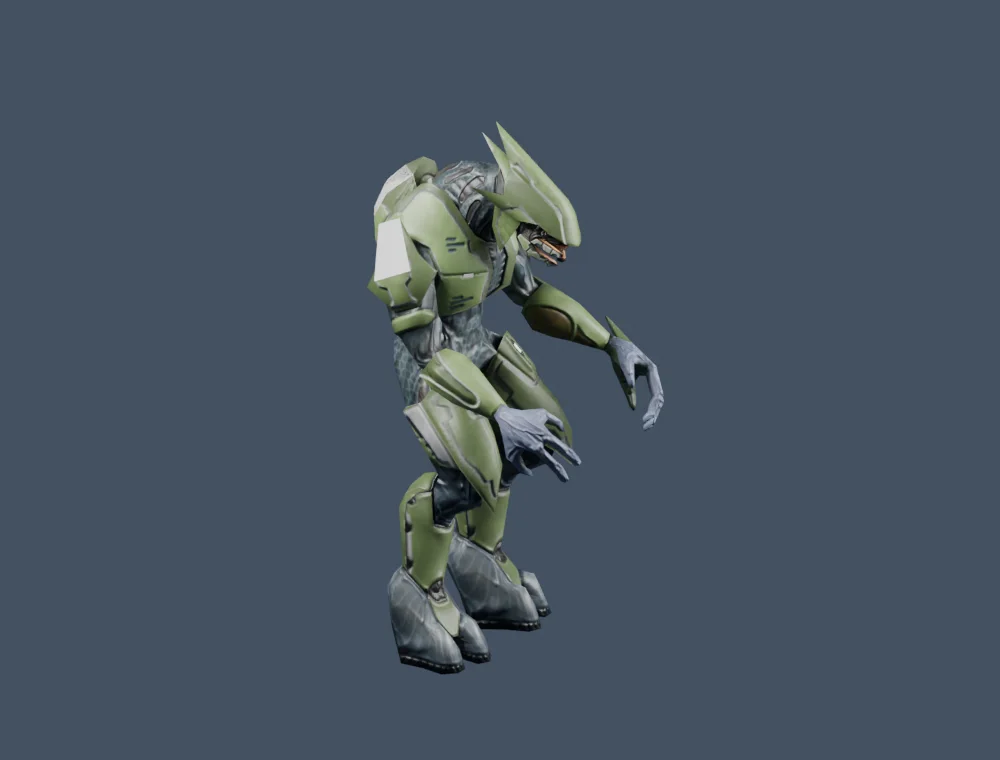
Elite
Character · a 55-joint rig
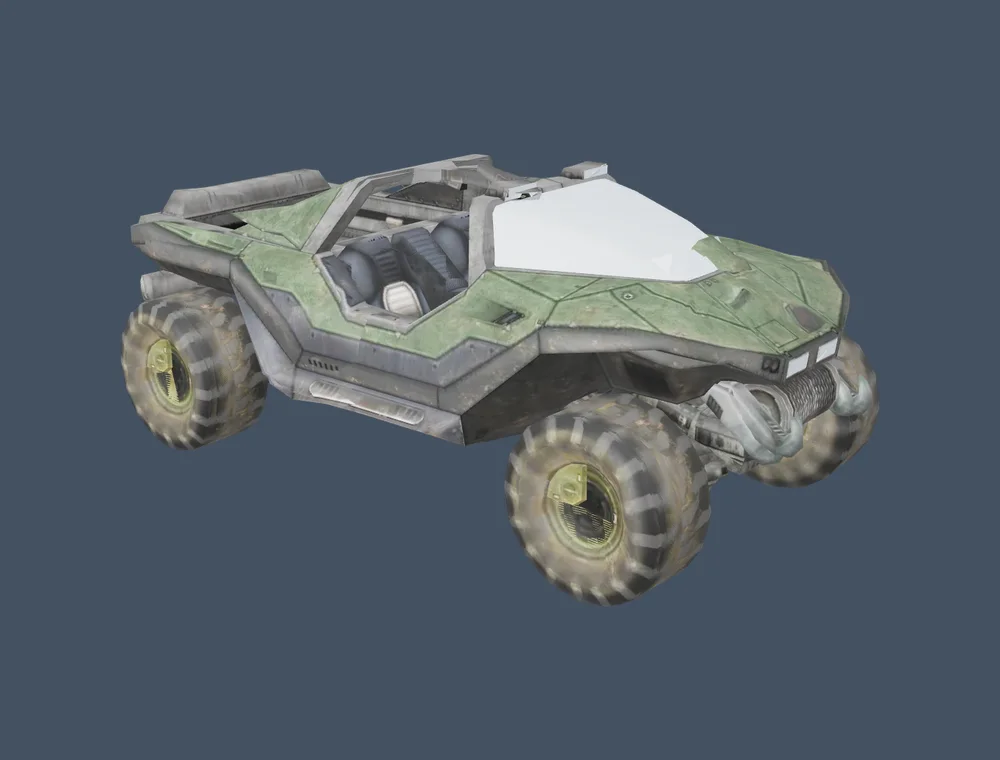
Warthog
Vehicle · 54 meshes, 14,618 triangles
Most of Halo 2 is scenery and dialogue.
What the three archives hold, counted from the map files. Over half the models are scenery. Two in three sounds are someone talking.
- Scenery641
- Characters88
- Level geometry83
- Cinematics82
- Vehicles78
- Weapons62
- Skies, equipment, UI87
24,674 named tag entries in the asset index
- Textures3,652
- UI artwork373
19,736 exported images
- Dialogue5,111
- Effects and other889
- Ambience752
- Weapons269
- Music244
- Vehicles, interface165
22,469 playable clips
Counts as the site reports them. A tag can hold several variations, so there are more clips than tags.
Where it is now.
Version 0.2.1, in beta. A site shaped by the game, a six-second film, three archives, and a launcher tested so far on one Mac. The launcher’s source is public, under MIT.
Explore the project ↗Halo 2 is Bungie’s and Microsoft’s. This is an independent fan project that needs your own game files, and it wouldn’t exist without the Halo2PC and Project Cartographer communities.